

 Popular
Golden Smart
Popular · Smart IPTV App
- Android
- Firestick
- 4K
Lightweight Golden Smart IPTV player for Android phones, Firestick and Android TV. Clean interface and fast channel switching.
Free trial available — test 4K IPTV on your device before you buy. Start free trial
Official Golden OTT, OTT Platinum, MAG and Enigma2 downloads from 4K IPTV UK — with Downloader codes, installation guides and WhatsApp support for every device.
Search by name, code or device, or filter by category. Each Android card shows the Downloader code you can paste into the Firestick / Android TV Downloader app. For step-by-step activation help, see our Strong 8K Installation Guide.
Showing 17 of 17 apps
Popular
Popular · Smart IPTV App
Lightweight Golden Smart IPTV player for Android phones, Firestick and Android TV. Clean interface and fast channel switching.
 Firestick
Android App · M3U / Xtream Codes
IBO Gold IPTV player for Android with M3U and Xtream Codes support. Great for Firestick and Android boxes.
 Firestick
TV Box App · Xtream Codes / M3U
TiviGold Box player with a modern TV-style layout. Optimised for Android TV boxes and Firestick.
 Recommended
Recommended · Username & Password
Use this version when our team has sent you a Golden OTT username and password. The most common login type — works on Android phones, Firestick and Android TV.
 Firestick
Activation Code · Activation Code
Use this version when our team has sent you a Golden OTT activation code instead of a username and password. The code links your subscription automatically.
 Firestick
V4 · Latest · Username & Password
OTT Platinum V4 player for Android — username and password login. Latest version with improved stability.
 Firestick
V4 · Active Code · Activation Code
OTT Platinum V4 player for Android — activation code login. Latest version with improved stability.
 Firestick
V3.5 · Stable · Username & Password
Legacy OTT Platinum V3.5 player. Use this if V4 is not compatible with your older Android device.
 Firestick
V3.5 · Active Code · Activation Code
Legacy OTT Platinum V3.5 player with activation code login. Use if V4 is not compatible with your device.
 MAG
MAG
MAG Setup · Bootstrap + ImageUpdate
Official Bootstrap and ImageUpdate files for MAG 420 set-top box. Load via the MAG portal under System Settings.
 MAG
MAG
MAG Setup · Bootstrap + ImageUpdate
Official Bootstrap and ImageUpdate files for MAG 351 set-top box. Load via the MAG portal under System Settings.
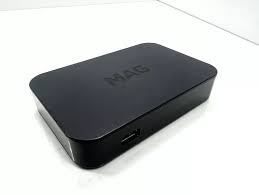 MAG
MAG
MAG Setup · Bootstrap + ImageUpdate
Official Bootstrap and ImageUpdate files for MAG 349 set-top box. Load via the MAG portal under System Settings.
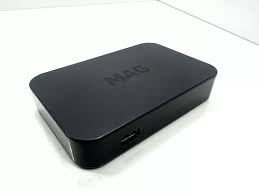 MAG
MAG
MAG Setup · Bootstrap + ImageUpdate
Official Bootstrap and ImageUpdate files for MAG 320 set-top box. Load via the MAG portal under System Settings.
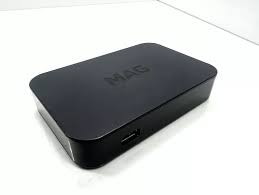 MAG
MAG
MAG Setup · Bootstrap + ImageUpdate
Official Bootstrap and ImageUpdate files for MAG 256 set-top box. Load via the MAG portal under System Settings.
 MAG
MAG
MAG Setup · Bootstrap + ImageUpdate
Official Bootstrap and ImageUpdate files for MAG 254 set-top box. Load via the MAG portal under System Settings.
MAG
MAG Setup · Bootstrap + ImageUpdate
Official Bootstrap and ImageUpdate files for MAG 250 set-top box. Load via the MAG portal under System Settings.
 Enigma2
Enigma Setup · Firmware + License
Enigma2 firmware and license files for Vu+, Formuler, Octagon and similar Linux receivers. Flash firmware then load the license to activate channels.
No apps match your search or filter.
Compare Firestick support, MAC activation, EPG and ease of use across our most popular apps.
| App | Firestick | MAC | Multi-screen | External player | EPG | Ease of use |
|---|---|---|---|---|---|---|
| GoldenOTT User & Pass V1 | ✓ | — | ✓ | ✓ | ✓ | Easy |
| Golden Smart | ✓ | — | — | — | ✓ | Easy |
| IBO Gold | ✓ | — | ✓ | ✓ | ✓ | Medium |
| OTT Platinum V4 | ✓ | — | ✓ | ✓ | ✓ | Easy |
| MAG Devices | — | ✓ | — | — | ✓ | Medium |
| Enigma 2 | — | — | — | ✓ | ✓ | Advanced |
Quick step-by-step guides for installing any Android IPTV app from this page.
Tap Download APK on the app card above and save the file to your phone or box.
Enable Install unknown apps for your browser if Android blocks the APK.
Open the app and enter the username, password or activation code we sent on WhatsApp.
Install the free Downloader app from your TV app store.
Enter the Downloader code shown on the app card (for example 1541051) and press Go.
Wait for the APK to download, then tap Install.
Open the app, enter your login and start streaming.
Need help? Contact us via WhatsApp — we will recommend the right app and walk you through setup.
Need Help? WhatsApp UsFlash Bootstrap and ImageUpdate for MAG 250, 254, 256, 320, 349, 351 and 420 models.
Pick your exact MAG model from the cards above and download Bootstrap and ImageUpdate.
Format a USB stick to FAT32 and copy both files into the matching folder structure.
Plug the USB stick into the MAG box and reboot.
From the MAG menu, go to Settings → System Settings → Software Update and load Bootstrap first, then ImageUpdate.
Send us your MAC address on WhatsApp — we register it and your channels load automatically on reboot.
Send your MAC address on WhatsApp after flashing your MAG box — we register it and channels load on reboot.
MAG devices use a 12-character MAC starting with 00:1A:79 followed by six hex pairs separated by colons.
00:1A:79:12:34:56
00:1A:79:AB:CD:EF
00:1A:79:XX:XX:XX
Download firmware and license files, then flash via USB on your Linux receiver.
Firmware packages for Vu+, Formuler, Octagon and similar Enigma2 receivers.
Works with Golden OTT subscriptions once the license file is loaded.
Channel lists activate automatically after firmware and license install.
Message us on WhatsApp with your exact receiver model if you need help.
Real feedback from customers who installed apps from this page.
★★★★★GoldenOTT User & Pass installed on my Firestick in under five minutes using the Downloader code. Support sent my login on WhatsApp straight away.
★★★★★We use MAG 254 boxes in the lounge. Bootstrap and ImageUpdate from this page worked first time after they registered our MAC address.
★★★★★Clear app list, real Downloader codes, and step-by-step guides. Much better than random forum APK links.
★★★★★Enigma2 firmware and license from 4K IPTV UK got our Vu+ box running Golden OTT channels without any guesswork.
Only download IPTV apps and firmware from this page or from the direct link our support team sends on WhatsApp. APKs and firmware shared on random forums may be modified versions that put your device or your login at risk. If you are unsure which app to install, message us on WhatsApp and we will help within minutes.
Quick answers about downloading, installing and logging in to every app on this page.
It depends on the login details our team sent you. If you received a Golden OTT username and password, download GoldenOTT User & Pass V1. If you received an activation code, download GoldenOTT Active Code V1. Both versions work on Android phones, Firestick and Android TV.
Our team can recommend the best app for your device.
Fast help for Android, Firestick, MAG and IPTV app setup.